

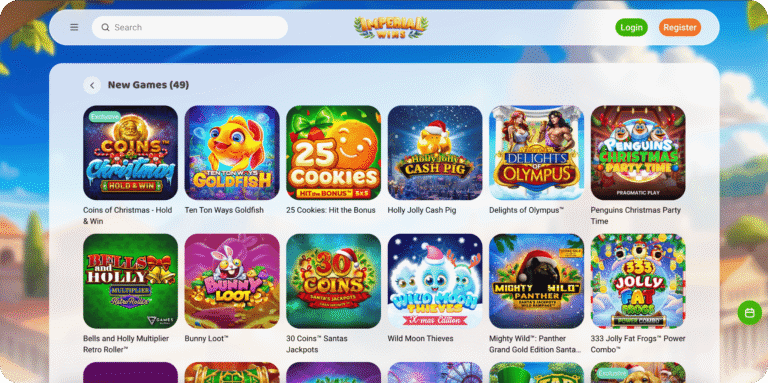
I’ve tested mobile casino platforms for years, so I understand how easy it is to get confused in the options. You want fast access, smooth gameplay, and clarity. This guide skips the marketing fluff and provides you the practical details. I’ll guide you through installing the imperialwinscasino apk download app, which devices it runs on, security essentials, and the features that matter when you game on a phone or tablet.
Key Features That Render a Casino App Worth Your Time
Not every casino apps are equal, and I’ve figured out to identify the ones constructed around player experience. A sluggish lobby kills the vibe. The Imperial Wins Casino app includes several practical features that improve daily play. I care most about speed, game variety, and banking that doesn’t introduce extra steps. These are the features I employ every time I open the app.
- Quick lobby loading with one-tap game access
- Comprehensive live dealer suite with HD streaming and real-time chat
- Rapid deposit and withdrawal options including e-wallets and crypto
- Adjustable push notifications for bonuses and tournament alerts
- Dark mode support to decrease eye strain during late-night sessions
- In-app responsible gaming tools available from the main menu
The unified wallet system is the part I use most. It maintains my balance in sync across slots, table games, and the live casino without distinct transfers. Find and filter tools let me discover a specific title by provider or feature in seconds. These details sound small, but together they take away most of the friction from a session.
Maximizing App-Exclusive Bonuses
One reason I choose the app over desktop is the exclusive promotions. Imperial Wins Casino often releases bonuses that are available for mobile users, like no-deposit free spins or boosted match offers. I activate push notifications so I don’t miss a limited-time deal. These app-only perks often carry lower wagering demands, and I always read the terms before redeeming.
I also monitor the promotions hub inside the app at least once a week. Some reload bonuses bypass email and just sit there waiting for active players. It benefits me because it is akin to a small bonus for checking, not a chore. When I pair those offers with the loyalty points I collect from regular play, I maximize my bankroll further without seeking losses. It’s a smart way to increase worth to each session without taking on extra risk.
Why a Dedicated Casino App Beats a Mobile Browser
I previously played through the mobile browser too, but a native app is a different experience right away. The software is built for your device’s hardware, so touch controls respond better and animations flow more smoothly. You avoid the constant tab reloads and login timeouts that show up in browser sessions. For me, the stability alone validates the quick install.
Beyond performance, a dedicated app ties into your phone’s notification system. I receive bonus alerts that suit my play, and I don’t have to sift through email. The app also stores my preferences on the device, so I can resume easily. Browser play functions in a pinch, but a well-designed app makes returning to it feel slow.
How to Download the Imperial Wins Casino App
Downloading the Imperial Wins Casino app is simple, though the steps differ a bit by OS. I always download directly from the official site to get the newest verified version. Third-party stores sometimes have obsolete or changed files, and I refuse to take that risk with real-money play. The official source also stops me from fake versions that seem like the genuine app. Use the steps for your device below.
Installing on Android
Android users will not find the app in the Play Store because of Google’s policies on real-money gambling apps in many areas. Instead, I open the Imperial Wins Casino site in my mobile browser. The site identifies my device and shows a clear download button. Before I install, I temporarily permit installations from unknown sources in my security settings, then click the downloaded APK file to complete setup.
As soon as it’s set up, I turn the unknown sources setting back to off. That keeps the phone protected while I still have total access to the casino. The entire process takes under two minutes, and the app handles updates by prompting me to download new versions when I start it. I never lag behind on features or security patches.
Installing on iOS
On iPhone and iPad, the Imperial Wins Casino app is typically available in the Apple App Store. I search the store or follow the direct link from the official site. Apple’s review process gives me extra assurance, since each version is reviewed for stability and privacy standards. I never have to change security settings on iOS, which makes installation simple. The download and install proceed automatically, just like any other iOS app.
I confirm that my iOS version meets the compatibility requirements before I start. After installation, I launch the app, log in with an current account or register, and I can add money and wager within moments. Face ID or Touch ID is often offered, which renders signing in quick and secure.
Safety and Honest Gaming on Mobile
With real money on the line, I never settle on security. The Imperial Wins Casino app uses the equivalent protective measures I’d expect from a banking app. That is the minimum for any operator I stick with. Every data packet between my device and the server is scrambled, so my financial details stay private even on public Wi-Fi with a VPN. I also appreciate that the app asks me to sign in again after a period of inactivity.
Encryption and Information Security
The app uses TLS 1.3 encryption, and I verify the security certificate details when I connect. My personal information and payment methods are converted into tokens, so raw card numbers never sit on my phone. I also activate biometric login when it’s available, which adds a physical layer of protection a password alone can’t provide. This setup reassures me every time I play.
Gaming Integrity and RNG Testing
I only trust apps that present their fairness certifications openly. The games on Imperial Wins Casino run on independently tested random number generators. I can usually locate the RNG certificate and payout percentage reports in the app’s information section. When I notice that third parties like iTech Labs or eCOGRA examine each spin and deal, I am certain the chance is genuinely fair.
Managing Your Bankroll and Responsible Gaming Tools
I view casino play as fun with a set cost, and the app’s built-in tools make that easier to maintain. From the account menu, I am able to set limits that take effect instantly on every device. The controls aren’t hidden in fine print. They are placed where I can adjust them before a session starts, which I interpret as a sign of a trustworthy operator.
Deposit-related Limits and Reality Checks
I establish daily, weekly, and monthly deposit caps so I don’t top up on impulse. The app also has adjustable reality check reminders that show up after a set time and show my session length and net spend. These subtle nudges maintain me aware without pulling me out of the game. I’ve experienced them useful for juggling this hobby with everything else.
Self-exclusion periods and Cool-Off Periods
If I require a longer break, the cool-off feature lets me lock my account for a duration I pick, from 24 hours to several weeks. For a more lasting step, self-exclusion blocks access completely and leads to national self-exclusion schemes where present. I value that the app enables me activate these options without a call to support.
System Compatibility and System Requirements
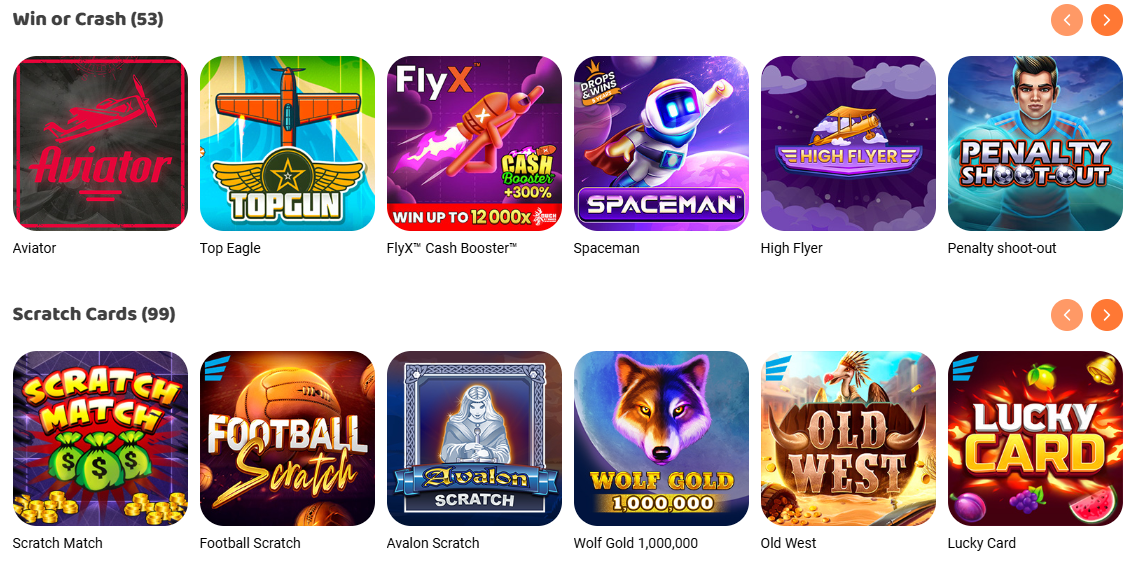
I’ve run the Imperial Wins Casino app on several devices, and it performs well on both major platforms. I’ve also tested it on aging phones and on a tablet, and the layout adjusts well. The development team builds it for a broad range of screen sizes and chipsets, so you don’t need the most recent flagship phone. Even so, meeting the minimum requirements allows you prevent lag or random crashes in live dealer games and high-action slots.
Apple Devices
For iOS, I advise an iPhone 8 or later, or any iPad introduced in the last five years. The app requires iOS 13.0 or later, and I’ve seen consistent performance on iOS 16 and 17. Older devices may still operate the app, but load times can be longer. I keep at least 200 MB of free storage so updates and game caches don’t cause problems.
Android Devices
On Android, the app runs on version 8.0 (Oreo) and higher. I’ve run it without issues on mid-range devices with 3 GB of RAM or more, though 4 GB is superior for graphics-heavy live streams. Screen resolution adapts automatically, but a 1080p display highlights the detail in slots. I wipe the app cache from the settings menu now and then to maintain everything running fast.